
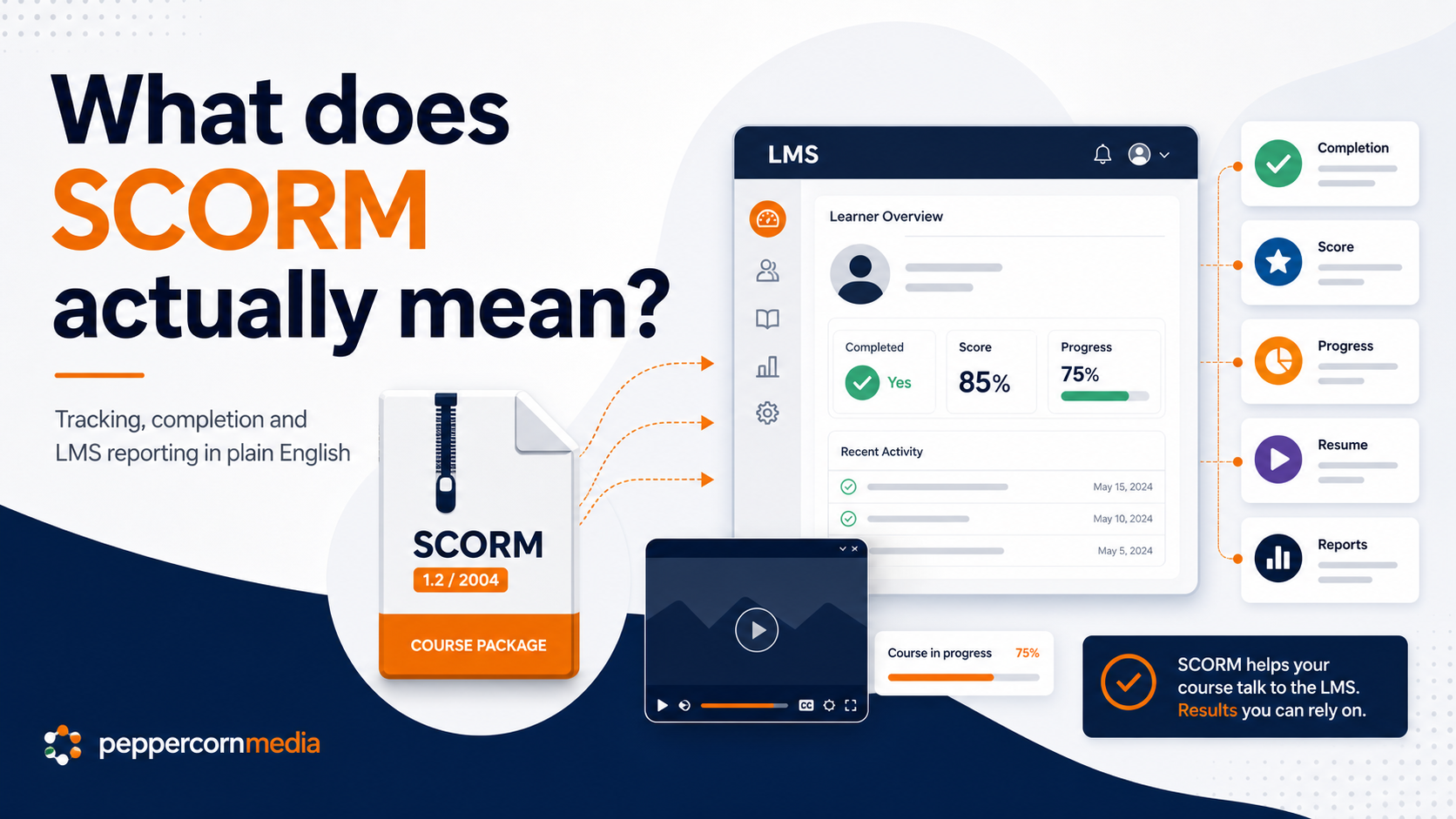
SCORM is one of those terms that people use a lot in eLearning, often without much explanation.
Someone might say, “We need this as SCORM,” or “Can you make it SCORM-compliant?” That can sound technical, and sometimes it is. However, the basic idea is simple.
SCORM helps an eLearning module communicate with a Learning Management System, or LMS. In other words, it helps the course tell the LMS what the learner has done.
For example, SCORM can help answer questions like:
- did the learner open the course?
- how far did they get?
- did they complete it?
- did they pass?
- what score did they achieve?
- where should the learner resume if they come back later?
SCORM does not make learning better by itself. It does not design the course, improve the content or make the module engaging. Instead, it helps the course report useful information back to the LMS.
SCORM is a communication standard
SCORM stands for Sharable Content Object Reference Model.
That is a very technical name for something fairly practical. SCORM gives eLearning content and an LMS a shared way to talk to each other.
Without a standard like SCORM, every course authoring tool and every LMS could track learning differently. As a result, publishing and reporting would become messy and unreliable.
SCORM helps avoid that problem by giving the course package and the LMS a shared set of rules.
This means a course built in an authoring tool such as Articulate Storyline or Rise can be exported as a SCORM package and uploaded into many LMS platforms.
What is inside a SCORM package?
A SCORM package usually comes as a ZIP file.
That ZIP file contains the course files, media, scripts and information the LMS needs to launch and track the module.
From an administrator’s point of view, it may look like one file to upload. Behind the scenes, the LMS reads the package and works out how to launch the course.
Once the learner opens the course from the LMS, the SCORM package sends tracking information back as the learner moves through the module.
What does SCORM track?
SCORM can report different types of information. However, the exact results depend on how the module has been published and how the LMS has been configured.
Common tracking information includes:
- completion status
- success or pass status
- quiz score
- time spent in the module
- lesson location or resume point
- interaction data for some quiz questions
- whether the learner exited or finished the course
For many workplace training modules, the most important items are completion, pass or fail status, and score.
In many cases, the organisation simply needs to know:
Has the learner completed the required training?
For assessment-style modules, the LMS may also need to show:
Did the learner pass the quiz, and what score did they achieve?
Completion and success are not always the same thing
This is where SCORM can confuse people.
A learner can complete a course without passing it, depending on the settings. For example, they might view all screens but fail the quiz.
The reverse can also happen. A learner might pass the quiz without viewing every screen, if the course allows that.
Completion usually means the learner has met the course completion rule.
Success usually means the learner has met the pass rule.
For example:
- completion could be based on viewing all required screens
- success could be based on achieving 80% in a quiz
- a course could require both completion and success
- a short awareness module might only require completion
Because of this, the authoring tool and LMS settings need to match the reporting goal. Otherwise, the results can become confusing.
Common ways to track completion
A SCORM course can track completion in several ways.
The most common options include:
- number of slides or screens viewed
- a course completion trigger
- a quiz result
- reaching a final completion screen
- a combination of progress and assessment result
For a simple awareness module, tracking course completion may be enough.
For a compliance or assessment-style module, tracking by quiz result may work better.
For a scenario-based module, completion may depend on the learner reaching an end point, completing key interactions or finishing a required activity.
The right choice depends on what the organisation actually needs to record.
What can go wrong?
SCORM problems often appear when the course meets the LMS.
A module may work perfectly in preview. However, once uploaded, it may behave differently inside the LMS.
Common issues include:
- the course does not mark as complete
- the score does not report correctly
- the learner passes, but the LMS still shows incomplete
- the learner exits and cannot resume where they left off
- the course opens in a window that is too small
- pop-up blockers prevent the course from launching
- mobile behaviour is inconsistent
- the LMS and course use mismatched tracking settings
These problems can be frustrating. Fortunately, they are often fixable.
In many cases, the issue sits in the publish settings, LMS settings or completion rules rather than the course content itself.
SCORM 1.2 and SCORM 2004
When publishing a module, you may see options such as SCORM 1.2 and SCORM 2004.
SCORM 1.2 is widely used and many LMS platforms support it. It often works well for standard completion and score tracking.
SCORM 2004 can support more detailed tracking and sequencing. However, LMS platforms do not always handle SCORM 2004 in the same way.
In practice, many organisations use SCORM 1.2 because it is broadly compatible and predictable.
The best choice depends on your LMS and what you need to report. If your LMS recommends a specific SCORM version, use that version.
SCORM does not guarantee good reporting
SCORM makes reporting possible, but it does not guarantee that the report will be useful.
Good reporting starts with clear decisions before publishing.
For example, it helps to decide:
- should completion depend on viewing content?
- should completion depend on passing a quiz?
- what score should count as a pass?
- can learners retry?
- should learners resume where they left off?
- does the LMS need a score, a completion status, or both?
- what should happen if the learner closes the course early?
If these decisions happen after launch, the project can become messy. However, if they happen before launch, the course and LMS can be set up much more cleanly.
What does the LMS do with SCORM data?
The LMS receives tracking data from the SCORM package and stores it against the learner’s record.
Depending on the LMS, administrators may be able to see:
- enrolment status
- completion status
- date completed
- score
- attempts
- time spent
- pass or fail status
- progress through the module
Organisations can then use this information for compliance records, training reports, completion dashboards or internal monitoring.
However, the level of detail depends on both the LMS and how the course has been built.
SCORM is not the whole learning experience
It is easy to focus on SCORM because it feels technical and important.
However, SCORM is only one part of the eLearning picture.
A course can be SCORM-compliant and still be boring, confusing or poorly structured. It can track completion perfectly while still failing to help learners understand anything useful.
Therefore, SCORM should be treated as the delivery and tracking layer, not the learning design.
The content still needs to be clear. The module still needs structure. Learners still need guidance, practice and feedback.
A practical launch checklist
Before launching a SCORM module, check that:
- the course opens correctly in the LMS
- the module displays well on the expected devices
- completion records correctly
- pass and fail behaviour works as expected
- quiz scores report correctly, if used
- retry settings work properly
- resume behaviour works as intended
- the final screen or completion trigger works
- learners can exit without breaking the result
- administrator reports show the information needed
This kind of testing can save a lot of frustration later.
The plain-English version
SCORM helps an eLearning course and an LMS communicate.
It lets the LMS know what happened in the course, such as whether the learner completed it, passed it, achieved a score or should resume from a certain point.
It does not create the learning. It does not make content engaging. It does not fix poor course design.
However, when set up properly, SCORM helps online learning become trackable, reportable and manageable.
For organisations that need evidence of completion, that matters.
Need help preparing SCORM-ready learning?
PeppercornMedia helps organisations prepare, package and test eLearning materials so they are ready for LMS delivery.